
If you want to start a website, you have likely heard the name WordPress. It is the most popular tool in the world for building websites, powering over 40 percent of everything you see on the internet. But what exactly is it, and how does it actually function behind the scenes?
What Is WordPress?
At its simplest level, WordPress is a Content Management System (CMS). In the past, if you wanted to build a website, you had to learn complex coding languages like HTML, CSS, and PHP. You would have to write lines of code just to put a single image on a page.
WordPress changed that. It is a piece of software that allows you to create, manage, and publish content on the web without needing to know how to code. Think of it like Microsoft Word for the internet. You type your text, upload your photos, and click a button to make it live for the world to see.
The Two Types of WordPress
It is important to know that there are two versions of WordPress:
- WordPress.org: This is the self-hosted version. You download the software for free, buy your own domain name (like www.yourname.com), and pay for a hosting service. This gives you full control over your site.
- WordPress.com: This is a hosted service. It is easier to set up but offers less freedom unless you pay for expensive monthly plans.
For most people looking to grow a professional site, WordPress.org is the standard choice.
How Does WordPress Work?
To understand how WordPress works, you can think of it as a house. To build this house, you need three main components working together.
1. The Core Software
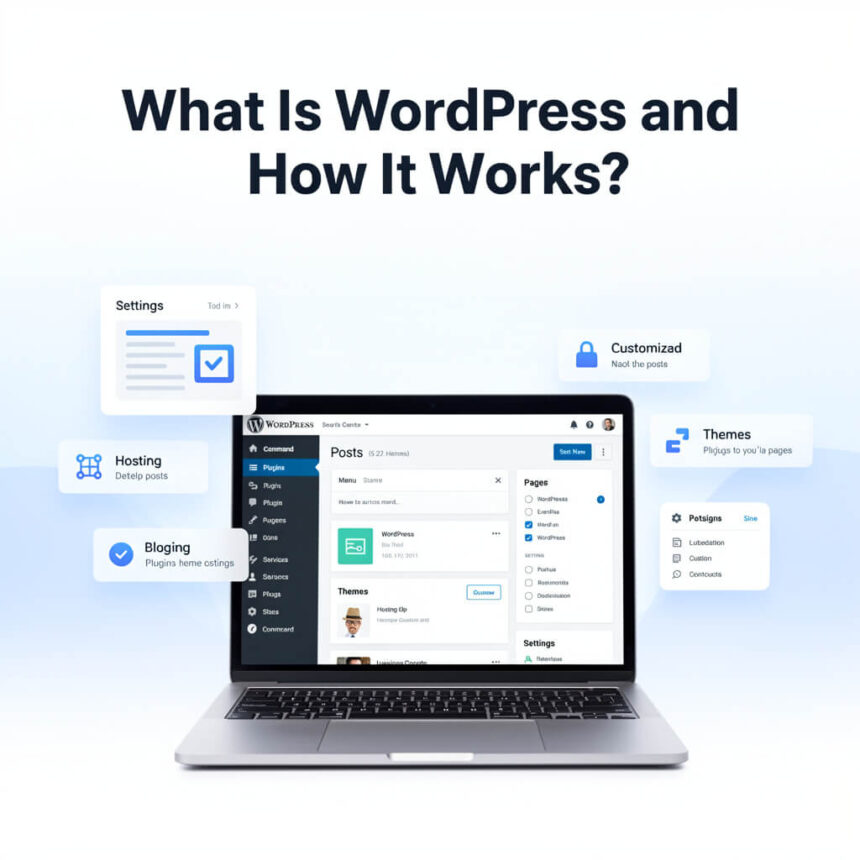
This is the foundation and the walls. When you install WordPress on a web server, it creates a structure that can communicate with a database. When a visitor types your URL into their browser, the WordPress software reaches into its database, pulls out your text and images, and puts them together into a webpage for the visitor to see.
2. Themes (The Design)
If the core software is the structure of the house, the theme is the paint, the furniture, and the decorations. Themes allow you to change the look and feel of your website instantly. You can choose a professional look for a business or a colorful, creative look for a travel blog. You can switch themes at any time without losing your written content.
3. Plugins (The Features)
Plugins are like the appliances in your house. If you want a kitchen, you add a stove. If you want security, you add a camera. Plugins add specific features to your site that don’t come in the basic package. There are plugins for:
- Adding a contact form.
- Selling products through an online store.
- Improving your site speed.
- Adding social media share buttons.
Why Should You Use WordPress?
There are many website builders out there, but WordPress remains the leader for several reasons.
It is Free and Open Source
The software itself does not cost anything. Because it is open source, thousands of developers around the world are constantly working to improve it, fix bugs, and add new features.
It is Easy to Use
You do not need to be a tech genius. The dashboard is intuitive. If you can send an email or use a social media app, you can learn to navigate the WordPress backend.
It Grows With You
You might start with a simple blog today, but next year you might want to turn it into a massive online shop. WordPress can handle both. It is used by small hobbyists and giant companies like The New York Times and Disney.
Getting Started
To get your site running, you only need to follow a few steps:
- Buy a domain name: This is your web address.
- Sign up for hosting: This is the “land” where your website files live.
- Install WordPress: Most hosting companies offer a “one-click install” button.
- Pick a theme: Start with a simple, clean design.
- Create your first post: Start sharing your ideas with the world.
WordPress is a powerful tool that makes the internet accessible to everyone. Whether you want to share your photography, sell handmade crafts, or start a news site, it provides the perfect platform to bring your vision to life.