
If you want your website to show up on the first page of search results, you probably know that you need good content and keywords. However, there is a hidden side to websites that is just as important. This side is called Technical SEO.
Think of your website like a house. Content and design are the paint, furniture, and decorations that people see. Technical SEO is the foundation, plumbing, and electrical wiring. If the foundation is weak, it does not matter how pretty the wallpaper is; the house will not be safe to live in.
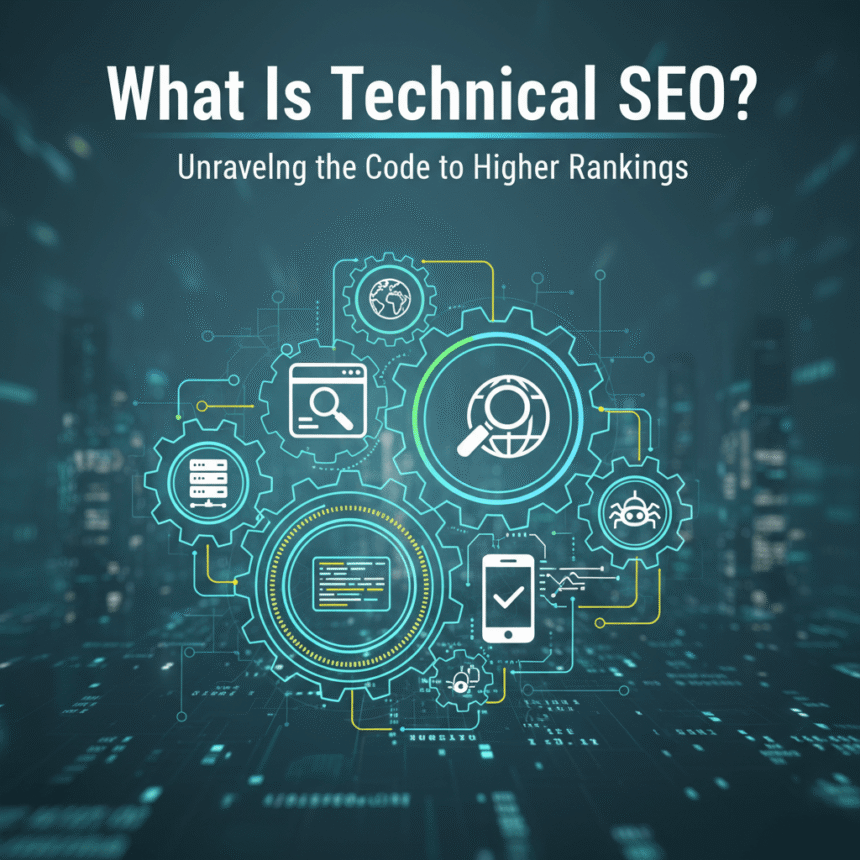
In simple terms, Technical SEO is the process of making sure a website meets the technical requirements of modern search engines. The goal is to make it easy for search engines to find, read, and understand your pages.
Why Does Technical SEO Matter?
Search engines like Google want to provide the best possible experience for their users. If your website is slow, broken, or hard for a search engine to “read,” Google will not want to show it to people.
Even if you write the best articles in the world, you will struggle to get visitors if your technical setup is messy. Improving this area helps search engines “crawl” your site more effectively.
The Key Pillars of Technical SEO
To help you understand how to improve your site, let’s break technical SEO down into its most important parts.
1. Website Speed
Nobody likes a slow website. If a page takes more than a few seconds to load, most people will leave and click on a different result. Search engines notice this behavior and may rank slow sites lower. You can improve speed by:
- Compressing large images.
- Using a fast hosting provider.
- Cleaning up extra code that you do not need.
2. Mobile Friendliness
Most people today browse the internet using their smartphones. If your website looks great on a computer but is broken or hard to read on a phone, you will lose visitors. A technically sound website uses Responsive Design, which means it automatically adjusts its layout to fit any screen size.
3. Site Architecture and Navigation
Your website should be organized in a logical way. Both users and search engines should be able to find any page in just a few clicks. A simple, “flat” structure is usually best.
- Sitemaps: A sitemap is a list of all the pages on your site. It acts like a map for search engines so they don’t get lost.
- Internal Linking: This is when you link from one page on your site to another. It helps search engines discover new content.
4. Security (HTTPS)
Security is a top priority for everyone online. You have likely noticed that some website addresses start with http:// while others start with https://. The “s” stands for secure. Having an SSL certificate (the green lock icon in the browser) is a must-have for Technical SEO. It protects user data and tells search engines that your site is trustworthy.
5. Crawlability and Indexing
Before a search engine can show your site in search results, it has to “crawl” it (scan the code) and “index” it (save it in their database).
- Robots.txt: This is a small file that tells search engines which parts of your site they are allowed to visit and which parts they should ignore.
- 404 Errors: If a page is deleted but still has links pointing to it, users will see a “404 Not Found” error. Fixing these broken links is a major part of technical maintenance.
6. Structured Data (Schema Markup)
Structured data is a special type of code you add to your website to help search engines understand exactly what is on a page. For example, if you have a recipe blog, you can use code to tell Google exactly which part of the text is the “cooking time” and which part is the “ingredients.” This often leads to “rich results,” which are those fancy search results that show star ratings or images.
How to Check Your Technical SEO
You do not need to be a professional coder to start checking your site. There are several tools available that can help you find problems:
- Google Search Console: This is a free tool from Google that tells you if they are having any trouble crawling your pages.
- PageSpeed Insights: This tool analyzes how fast your site loads and gives you specific tips on how to make it faster.
- Mobile-Friendly Test: This confirms if your site is easy to use on a phone.
Summary
Technical SEO might sound intimidating because of the name, but it is really just about providing a smooth, safe, and fast experience for your visitors and search engines. When you fix the “plumbing” of your website, your content has a much better chance to shine and reach the people who are looking for it.
Focus on speed, mobile usability, and security first. Once those are solid, you can move on to more advanced steps like structured data.