
When you build a website, you spend a lot of time on the design, the colors, and the writing. But there is one small detail that many people overlook: the URL. A URL is the address of your web page. If it is messy, both your readers and search engines might get confused.
Creating an SEO-friendly URL structure is one of the simplest ways to improve your site’s ranking and make it easier for people to use.
What is an SEO-Friendly URL?
An SEO-friendly URL is a web address that is easy to read for humans and search engines. It describes exactly what is on the page.
For example, look at these two links:
www.yourwebsite.com/p12345www.yourwebsite.com/healthy-apple-pie-recipe
The second link is much better. You know exactly what you are going to see before you even click. Search engines like Google feel the same way. They use the words in your URL to help figure out if your page is relevant to what someone is searching for.
Why URL Structure Matters
There are three main reasons why you should care about how your links look:
- Better User Experience: When a link is clear, users feel safe clicking it. They know it leads to a real page and not a spam site.
- Improved Search Rankings: Search engines look at your URL as a minor ranking factor. Having keywords in the link helps your page show up for those specific terms.
- Easy Sharing: Clear links look better when shared on social media or in emails. A short, descriptive link is more likely to be clicked than a long string of random numbers.
Best Practices for Creating Great URLs
To make your URLs work for you, follow these simple rules.
1. Use Keywords
Every page on your site should target a specific topic. Include the main keyword for that topic in the URL. If your post is about “backyard gardening,” your URL should contain those words.
2. Keep it Short
Long URLs are hard to read and can get cut off in search results. Try to keep your links under 60 characters. Remove unnecessary words like “a,” “the,” or “and” unless they are part of the main keyword.
3. Use Hyphens, Not Underscores
Search engines see hyphens as spaces. For example, seo-friendly-urls is read as three separate words. If you use underscores, like seo_friendly_urls, search engines might see it as one giant word. Always use the minus sign key to separate your words.
4. Use Lowercase Letters
Always use lowercase letters in your URLs. Some web servers treat capital letters differently. If someone types your URL using lowercase but the actual link has capitals, they might end up on a 404 error page. Using only lowercase avoids this problem entirely.
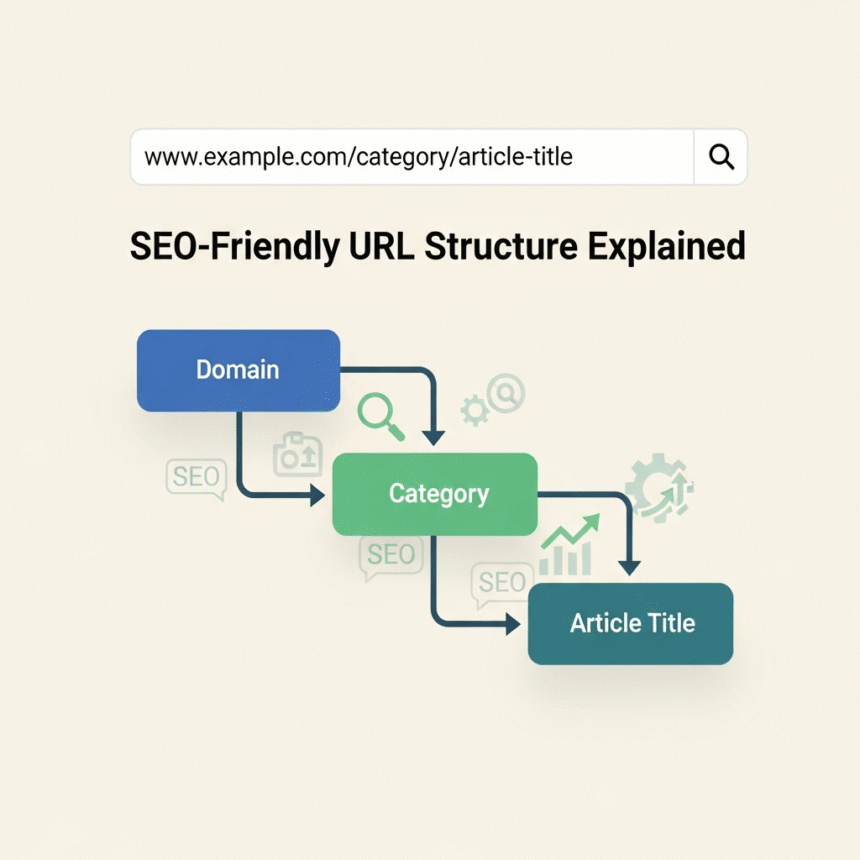
5. Stick to a Simple Hierarchy
Your URL structure should follow the logic of your website folders. It should look like a path that makes sense.
- Good:
website.com/blog/travel-tips - Confusing:
website.com/content/2024/post/category/travel-tips
Common Mistakes to Avoid
- Keyword Stuffing: Don’t repeat keywords.
website.com/shoes/running-shoes/best-running-shoesis overkill. Just usewebsite.com/best-running-shoes. - Using Dates: Unless you are a news site, avoid putting dates in your URL. If you update the post next year, the URL will look old, and changing it later can break your links.
- Dynamic Parameters: Avoid URLs with question marks and random numbers like
?id=52&color=blue. These are hard for search engines to index properly.
How to Change Old URLs
If you already have a website with messy URLs, you might want to change them. However, you must be careful. If you simply change the link, the old link will stop working.
To fix this, you must use a 301 Redirect. This is a way of telling the internet that the page has moved permanently to a new address. It sends the user and the search engine power from the old link to the new one.
Summary
A clean URL structure is like a signpost for your website. It tells everyone exactly where they are going. By keeping your links short, using hyphens, and including your main keywords, you make your site more professional and easier to find.