
If you want people to read your blog, you need to make it easy for them to scan. Most readers do not look at every single word. Instead, they skim through the headings to see if the page has the answers they need.
Using heading tags correctly is one of the simplest ways to improve your website. It helps your readers stay organized, and it helps search engines understand what your page is about. Here is everything you need to know about using H1 through H6 tags effectively.
What are Heading Tags?
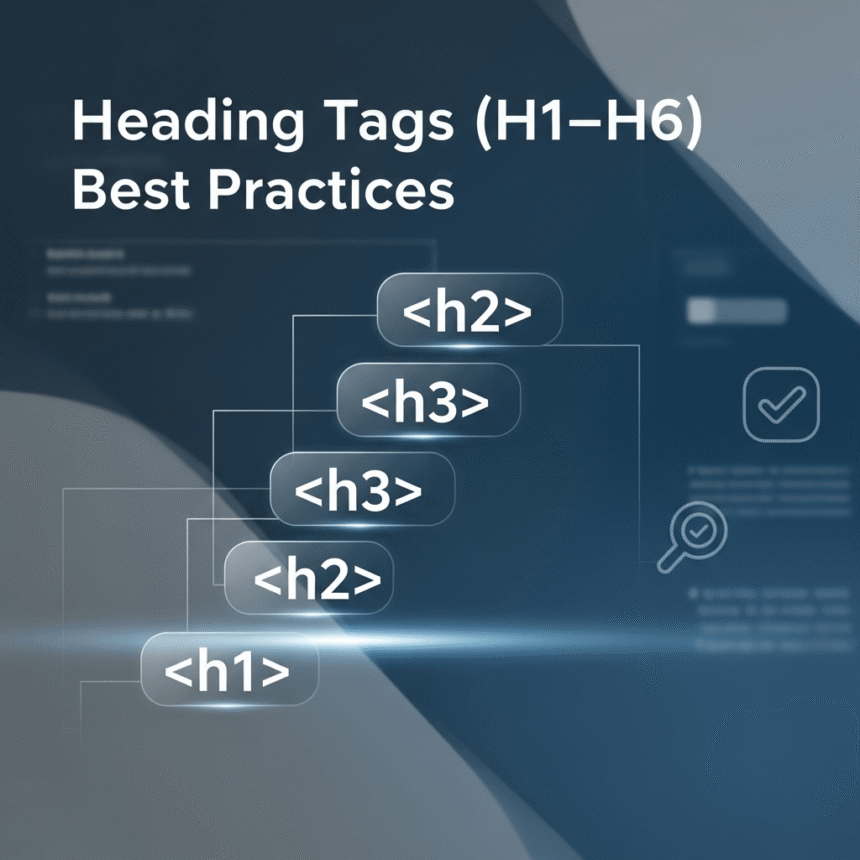
Heading tags are HTML elements used to define the headings and subheadings of a page. They range from H1 to H6, with H1 being the most important and H6 being the least important. Think of them like an outline for a school essay or a table of contents in a book.
Use Only One H1 Tag Per Page
The H1 tag is the title of your page. It should tell the reader exactly what the content is about. Because it represents the main topic, you should only use one H1 tag per page. Using more than one can confuse search engines and make your page structure look messy.
- Make it descriptive: Instead of a vague title like “Tips,” use “Top 10 Tips for Better Gardening.”
- Include your main keyword: This helps people find your post when they search for that specific topic.
Maintain a Logical Hierarchy
You should never skip heading levels. Your page should follow a natural order. If you start with an H1, your next main section should be an H2. If you need to break down an H2 section into smaller parts, use H3 tags.
Correct order:
- H1: Heading Tags Best Practices
- H2: Why Headings Matter
- H2: How to Use H1 to H6
- H3: The Importance of H1
- H3: When to Use H4 Tags
Incorrect order:
- H1: Heading Tags Best Practices
- H4: Why Headings Matter
- H2: How to Use H1 to H6
Skipping levels makes it harder for screen readers used by visually impaired people to navigate your site. Keeping the order logical ensures everyone can access your content.
Keep Headings Concise and Interesting
A heading should be a short summary of the text that follows it. Avoid making your headings too long. A good heading gives the reader a reason to keep reading without giving everything away.
Try to use “Action Words” or ask questions. For example, instead of just writing “SEO Benefits,” you could write “How Do Headings Help Your SEO?” This encourages the reader to engage with the paragraph.
Use Headings to Break Up Walls of Text
Nobody likes to see a giant block of text with no breaks. It looks overwhelming and difficult to read. Aim to place a heading every few paragraphs. This creates “white space” on the page, which makes the reading experience much more pleasant on mobile phones and computers.
Use Keywords Naturally
It is a good idea to include keywords in your headings, but do not overdo it. This is often called “keyword stuffing.” If your headings sound robotic or repetitive, your readers will leave. Write for humans first and search engines second. If a keyword fits naturally into a heading, include it. If it feels forced, leave it out.
Design with Heading Tags
While headings change the size of your text, you should not use them just to make text bold or big. Use your website’s CSS settings to change the look of your text. Use heading tags specifically to show the structure of your information.
Summary of Best Practices
- Use one H1 per page for the main title.
- Follow the numerical order (H1, then H2, then H3).
- Keep headings short and helpful.
- Break up long sections of text to help skimmers.
- Include keywords only where they make sense.
By following these simple rules, you will create a better experience for your visitors and make your website look more professional.