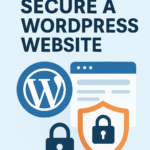

Building and maintaining a website is an exciting journey, but it comes with the responsibility of keeping your data and your visitors safe. Since WordPress powers a huge portion of the internet, it is a frequent target for hackers. However, staying safe does not have to be complicated.
By following these simple steps, you can create a strong shield around your website. Here are the best security practices for WordPress that every site owner should follow.
Keep Everything Updated
The most important rule for WordPress security is to stay up to date. This includes:
- WordPress Core: The main software itself.
- Plugins: The extra tools you add for features.
- Themes: The design of your site.
Developers regularly release updates to fix “bugs” or security holes. If you ignore these updates, you leave a door open for hackers. You can turn on Automatic Updates in your dashboard to make this process easier.
Use Strong Passwords and 2FA
Many hackers use “brute force” attacks, which means they use software to guess thousands of passwords every second.
- Make it complex: Use a mix of uppercase letters, lowercase letters, numbers, and symbols.
- Avoid common names: Never use “admin” as your username. It is the first thing a hacker will try.
- Two-Factor Authentication (2FA): This adds a second layer of safety. Even if someone steals your password, they would still need a special code from your phone to get in.
Install a Security Plugin
Think of a security plugin as a 24/7 security guard for your website. Popular options like Wordfence or Sucuri can do several helpful things:
- Malware Scanning: They check your files for any hidden malicious code.
- Firewall: They block suspicious people or bots before they even reach your site.
- Login Protection: They can lock out anyone who tries to guess your password too many times.
Get an SSL Certificate
Have you noticed the little padlock icon next to a website’s address in your browser? That means the site has an SSL certificate. This tool encrypts the data moving between your website and your visitors. It ensures that sensitive information, like contact forms or login details, cannot be intercepted by prying eyes. Most hosting companies now offer this for free.
Limit User Permissions
If you have a team helping you with your blog, don’t give everyone “Administrator” access. WordPress has different roles:
- Administrator: Can do everything.
- Editor: Can manage content but not site settings.
- Author/Contributor: Can only write and manage their own posts.
Give people only the access they need to do their jobs. This limits the damage if one of their accounts ever gets compromised.
Delete What You Don’t Use
Every plugin or theme you have installed is a potential entry point for a hacker. If you have old plugins that you aren’t using anymore, don’t just “deactivate” them. You should delete them entirely. The less code you have on your site, the fewer chances there are for something to go wrong.
Perform Regular Backups
No security system is 100% perfect. If the worst happens and your site is hacked or breaks, a backup is your ultimate safety net. Use a tool to automatically save copies of your website to a cloud service like Google Drive or Dropbox. If anything goes wrong, you can simply “undo” the damage by restoring a clean version of your site.
Securing your WordPress site is a continuous process, but these steps will put you ahead of the vast majority of threats.