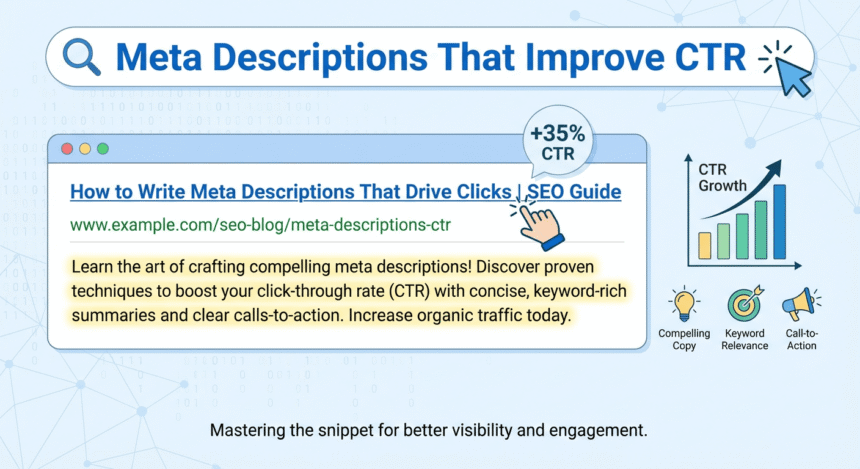

When you search for something on the internet, you usually see a list of blue links. Under each link, there is a short paragraph of text. That small snippet of text is called a meta description.
Even though it is small, this short piece of writing is one of the most powerful tools you have. It is your “sales pitch” to the world. If you write it well, more people will click on your link instead of others. This is what we call improving your Click-Through Rate (CTR).
What is a Meta Description?
A meta description is a short summary of a webpage. It tells searchers exactly what they will find if they click on your site. While it does not directly change how high you rank in search results, it acts like a digital billboard. If the billboard looks boring, people will drive right past it. If it looks exciting and helpful, they will stop and look.
How Long Should It Be?
Search engines usually show about 150 to 160 characters of a meta description. If you write more than that, the text will get cut off and show dots at the end. To keep your message clear, try to keep your description between 120 and 155 characters. This ensures the most important part of your message is always visible.
Use Action-Oriented Language
To get more clicks, you need to tell the reader what to do. Start with strong verbs. Words like “Learn,” “Discover,” “Grab,” or “Find out” give the reader a clear direction.
For example, instead of saying, “This post is about baking cookies,” you could say, “Discover the secret to baking soft, chewy chocolate chip cookies in under 20 minutes.” The second version is much more inviting.
Focus on the Benefit
People search the internet because they have a problem or a question. Your meta description should promise a solution. Ask yourself: What will the reader gain?
If you are writing about productivity, don’t just list tips. Tell them they will “Save two hours every day” or “Finish your work faster.” When readers see a clear benefit, they are much more likely to click.
Include Your Main Keyword
When someone searches for a specific word, and that word appears in your meta description, search engines often make that word bold. This makes your result stand out visually. It also shows the user that your page is highly relevant to what they are looking for.
Be Honest and Accurate
It can be tempting to write something “clickbaity” to trick people into visiting your site. However, if the content of the page does not match the description, people will leave immediately. This hurts your reputation. Always make sure your description is a true reflection of your content.
Create a Sense of Urgency or Curiosity
Sometimes, a little bit of mystery or a time-sensitive offer can help. Phrases like “Limited time offer,” “Check out these 5 hidden gems,” or “Don’t miss these tips” can encourage a user to act quickly.
Summary Checklist for a Great Meta Description
- Keep it under 155 characters.
- Include your primary keyword.
- Use a “Call to Action” like “Read more” or “Get started.”
- Describe the value or the solution you provide.
- Make it unique for every page on your website.
By following these simple steps, you can turn a boring search result into a magnet for new visitors. Better descriptions lead to more clicks, and more clicks lead to a more successful website.