
When you decide to build a website, the first thing you usually hear is “use WordPress.” It is the most popular way to build a site in the world. However, many beginners quickly realize there are two different versions: WordPress.com and WordPress.org.
Choosing the wrong one can lead to frustration later. One is like renting a room in a hotel, while the other is like owning your own house. This guide will break down the differences in simple terms so you can choose the right path for your project.
The Core Difference: Who Hosts the Site?
The biggest difference between the two is “hosting.” Think of hosting as the physical space where your website’s files live.
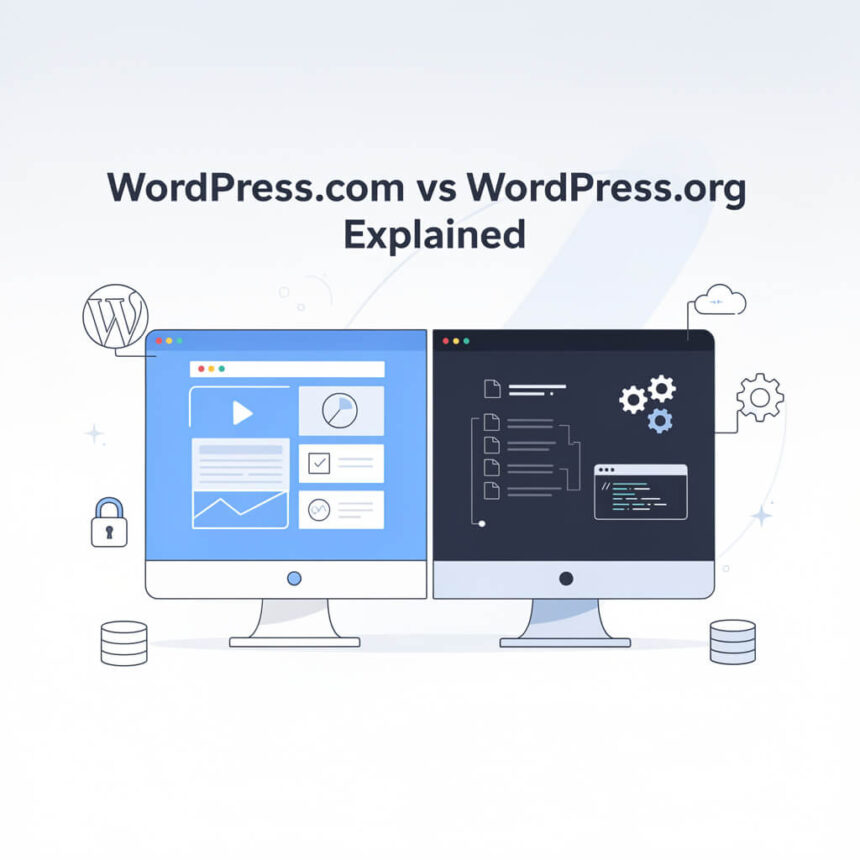
- WordPress.org is the “self-hosted” version. You download the free software, but you must find and pay for your own space (a hosting provider) to put it on.
- WordPress.com is a “hosted” service. They take care of the space for you. You just create an account and start writing.
WordPress.com: The All-in-One Service
WordPress.com is owned by a company called Automattic. It is designed for people who want to start a blog or a simple website without touching any technical settings.
The Pros
- Easy Setup: You can have a site live in five minutes.
- Maintenance Free: You don’t have to worry about updates, security, or backups. The company handles everything behind the scenes.
- Free Option: They offer a completely free plan if you don’t mind having a web address like https://www.google.com/search?q=mycoolsite.wordpress.com.
The Cons
- Limited Customization: On the free and cheaper plans, you cannot install custom themes or plugins. You must use what they give you.
- Less Freedom: You don’t truly “own” the platform. If you break their rules, they can shut down your site.
- Higher Costs for Features: If you want to use the same powerful tools that come standard on the .org version, you usually have to pay for an expensive monthly plan.
WordPress.org: The Power of Freedom
WordPress.org is where you get the “real” WordPress software. It is open-source and free for anyone to use, but you are the boss of your own site.
The Pros
- Total Control: You can change every single part of your website. You can install any theme or any plugin you want.
- Ownership: You own your data and your site. No one can take it down because you don’t like their rules.
- Better Value: While you have to pay for hosting, it is often much cheaper than the high-tier plans on WordPress.com.
The Cons
- Technical Responsibility: You are responsible for clicking “update” on your software and making sure your site is backed up.
- Learning Curve: It takes a little more time to set up. You have to buy a domain name and connect it to a host.
Comparing the Costs
| Feature | WordPress.com | WordPress.org |
| Setup Cost | Free (Basic) | Cost of Hosting ($3–$10/mo) |
| Domain Name | Subdomain included | You must buy one (~$15/year) |
| Maintenance | Handled for you | You handle it (or pay a host) |
| Plugins | Only on expensive plans | Included for free |
Which One Should You Choose?
Choose WordPress.com if:
You are a hobbyist, a student, or someone who just wants to write. If you don’t care about making a lot of money or adding complex features, the simplicity of the “rented” model is perfect.
Choose WordPress.org if:
You are starting a business, a professional portfolio, or a serious blog. If you want the freedom to grow, customize your design, and have full control over your future, self-hosting is the only way to go.
Most people who start with a free site on WordPress.com eventually move to WordPress.org as they grow. If you have big dreams for your website, it is usually easier to start with WordPress.org from day one.